
What Is TIFF? Complete Guide to the Tagged Image File Format
TIFF (Tagged Image File Format) is a lossless raster image format built for professional photography, printing, scanning, and archival work where pixel-perfect fidelity matters more than file size. It stores image data in a flexible tag-based container that supports 8-, 16-, and 32-bit color depths, CMYK and Lab color, alpha transparency, layers, and multiple pages in one file. Created by Aldus in 1986 and now maintained by Adobe, TIFF is the default master format for prepress and digital preservation. Its main trade-offs are large files (often 20-100 MB per photo) and no native web browser support, so TIFFs are usually converted to JPG or PNG for sharing.
This guide describes format capabilities and settings available in different programs. In WeLoveConvert you select the output format and, for supported images, quality. Codec, bitrate, lossless WebP mode and TIFF page selection are not available in the interface. Compare the result and keep your original.
summarizeKey Takeaways
- check_circleTIFF is a lossless, tag-based format used for master copies, printing, and long-term archival rather than web delivery.
- check_circleIt supports up to 32 bits per channel, CMYK/Lab color, alpha transparency, layers, and multi-page documents in a single file.
- check_circleFiles are large (commonly 20-100 MB) and no mainstream browser displays TIFF, so it is unsuitable for websites as-is.
- check_circleVariants like BigTIFF (files over 4 GB) and GeoTIFF (georeferenced raster) extend the format for science, GIS, and gigapixel imaging.
How the TIFF Format Works
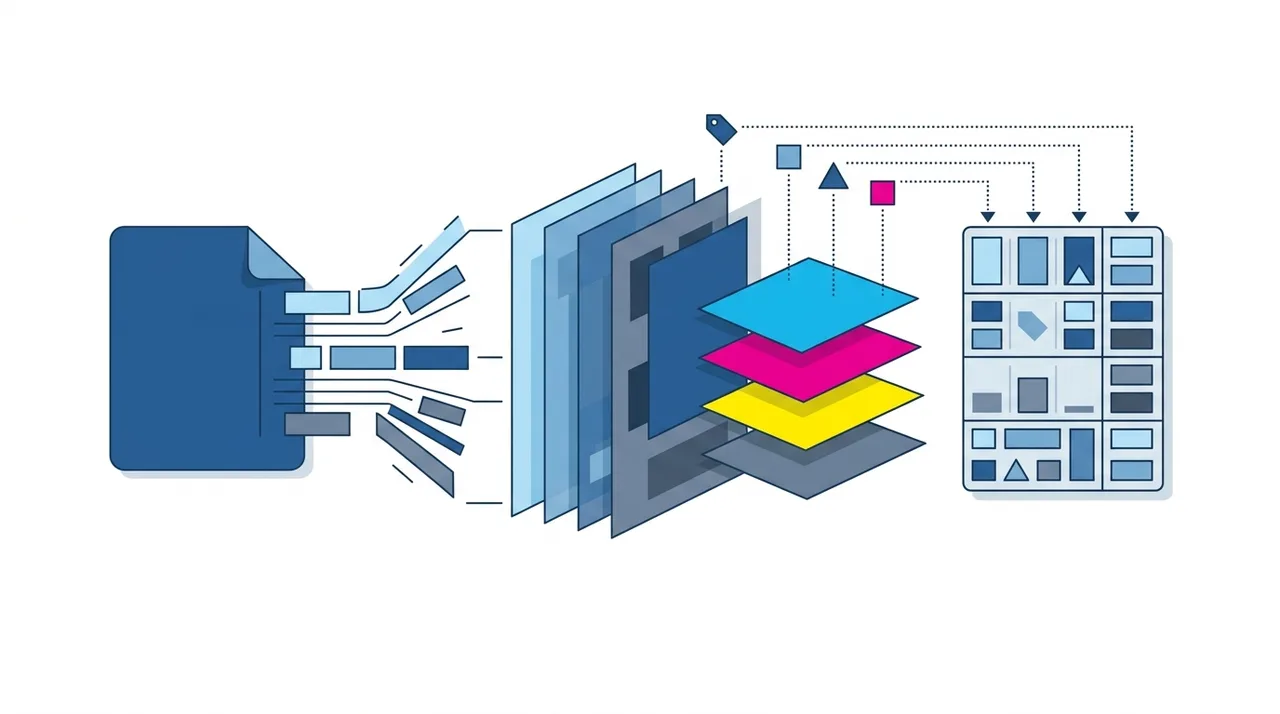
TIFF stores image data using a tag-based structure where each piece of information (dimensions, color depth, compression method) is recorded as a numbered tag in the file header. This architecture makes the format highly extensible — new features can be added without breaking backward compatibility.
TIFF supports several compression methods including no compression (raw pixels), LZW (lossless), ZIP/Deflate (lossless), and even JPEG (lossy). The most common choice for professional work is LZW or ZIP compression, which reduces file size by 30-50% without discarding any image data. TIFF can store 8, 16, or 32 bits per channel, supporting color depths from standard 24-bit RGB up to 96-bit HDR. It also handles CMYK, Lab, and multi-channel color spaces natively, making it essential for prepress workflows.
Advantages and Limitations of TIFF
check_circleStrengths
- addTruly lossless: repeated saves never degrade the image, ideal for editing masters.
- addExtreme color fidelity with up to 32-bit channels, CMYK, Lab, and embedded ICC profiles.
- addStores layers, alpha channels, and multiple pages in one self-contained file.
- addExtensible tag structure has kept the format readable across decades of software.
- addBigTIFF and GeoTIFF handle files over 4 GB and georeferenced scientific raster data.
cancelTrade-offs
- removeVery large files make storage, transfer, and backups expensive.
- removeNo native support in web browsers or most email clients.
- removeSlower to open and process than JPG or PNG due to size and complexity.
- removeTag-based flexibility means some readers only support a subset of TIFF variants.
When to Use TIFF (and When Not To)
TIFF is the right choice whenever an image is a master that may be edited or reprinted repeatedly, and the wrong choice for anything bound for a browser or email. Use these guidelines to decide.
- Use TIFF as the archival master after scanning film, documents, or artwork, then export delivery copies as needed.
- Use TIFF for commercial print and prepress, where native CMYK and embedded ICC profiles keep color accurate on press.
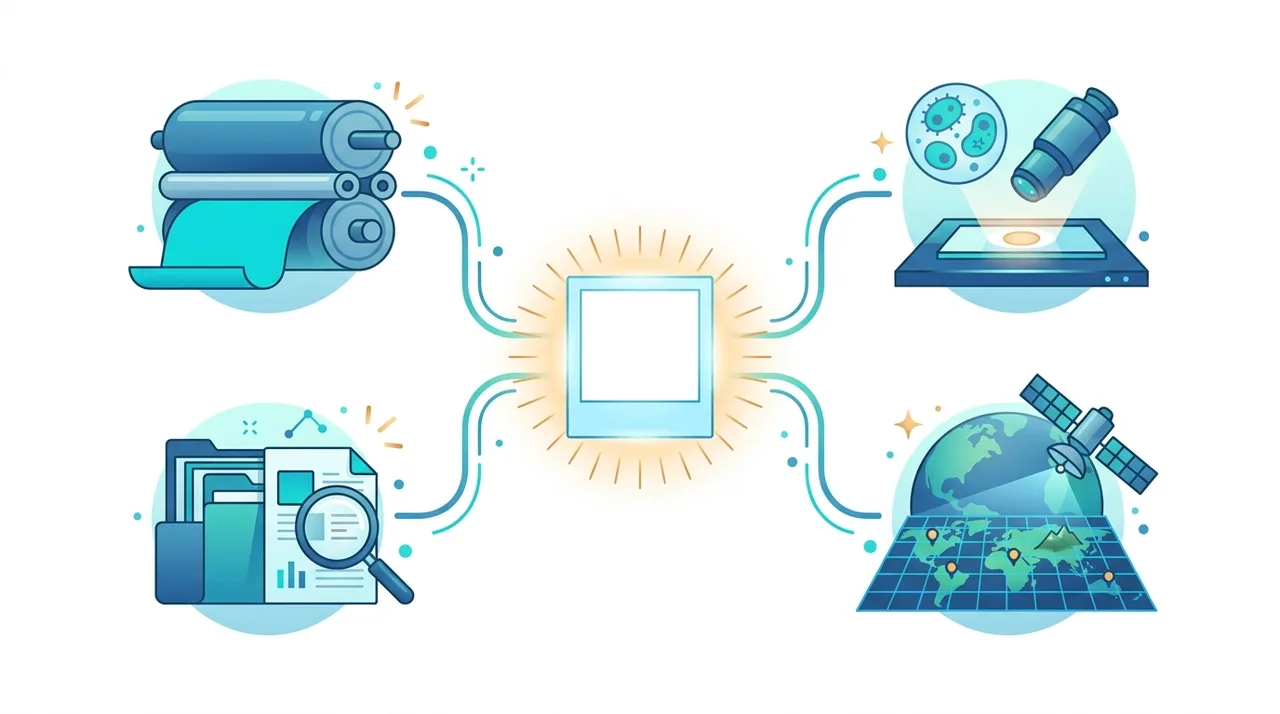
- Use TIFF for medical, microscopy, and satellite imaging, where 16-bit depth and GeoTIFF metadata must survive untouched.
- Avoid TIFF for websites and email; convert masters with TIFF to JPG for photos or TIFF to PNG when you need lossless transparency.
- Choose PNG over TIFF for lossless web graphics, and JPG when small photo files matter more than editing headroom.
- For one-off conversions of any master, drop the file into our online converter and pick the format your destination supports.
TIFF vs PNG vs JPG vs BMP
TIFF overlaps with other raster formats but wins on color depth and print features while losing on size and reach. This table shows where each one fits — for deeper context see our guides on PNG and BMP.
| Feature | TIFF | PNG | JPG | BMP |
|---|---|---|---|---|
| Compression | Lossless (LZW/ZIP) or none | Lossless (Deflate) | Lossy (DCT) | None / RLE |
| Max color depth | 32-bit per channel | 16-bit per channel | 8-bit per channel | 8-bit per channel |
| CMYK / print color | Yes, native | No | Limited | No |
| Layers & multi-page | Yes | No | No | No |
| Browser support | None | Universal | Universal | Limited |
| Typical 12 MP photo size | 20-100 MB | 5-15 MB | 2-5 MB | 30-50 MB |
How to Convert TIFF to JPG or PNG
- 1
Decide on the target format
Choose JPG if you need small files for sharing or web use, or PNG if you need lossless quality with transparency support.
- 2
Upload your TIFF file
Use WeLoveConvert to upload your TIFF file directly in your browser. All processing happens locally for maximum privacy.
- 3
Configure quality settings
For JPG, select a quality between 80-95 depending on your needs. For PNG, the output is always lossless, so no quality setting is needed.
- 4
Download the converted file
Save your new JPG or PNG file. The converted file will be dramatically smaller than the original TIFF while retaining excellent visual quality.
History and Evolution of the TIFF Standard
TIFF was created by Aldus Corporation (later acquired by Adobe) in 1986 as a universal format for scanned images. The initial specification aimed to bridge the gap between different scanner manufacturers by providing a common file format. Version 6.0, published in 1992, remains the current official specification and introduced features like JPEG compression and tiled storage.
Over the decades, TIFF has proven remarkably durable. Its tag-based extensibility allowed the format to absorb new capabilities — floating-point pixels, BigTIFF for files over 4 GB, and GeoTIFF for geospatial data — without breaking existing readers. While newer formats like JPEG XL promise to combine TIFF-level quality with modern compression, TIFF remains deeply embedded in professional imaging pipelines and is unlikely to be displaced from its archival and print roles anytime soon.
Frequently Asked Questions
What does TIFF stand for?
TIFF stands for Tagged Image File Format. The name refers to the tag-based structure of the file, where each property (width, height, color depth, compression) is stored as a numbered tag that readers can parse independently.
Is TIFF better quality than JPG?
Yes. TIFF preserves all image data using lossless compression, while JPG discards data to reduce file size. For archival and professional use, TIFF retains superior quality. However, for everyday viewing and sharing, JPG at high quality is visually indistinguishable and far more practical due to smaller file sizes.
Can I open TIFF files in a web browser?
No, mainstream web browsers do not support TIFF images. To use TIFF images online, you need to convert them to JPG, PNG, or WebP first. WeLoveConvert makes this conversion quick and private.
Why are TIFF files so large?
TIFF files are large because they store complete, uncompressed or losslessly compressed pixel data at high bit depths. A 4000x3000 pixel image at 16-bit per channel in TIFF can easily reach 70+ MB, whereas the same image as a JPG might be under 3 MB.
Does TIFF support transparency?
Yes, TIFF supports alpha channels for transparency. It can store one or more alpha channels alongside the color data, making it suitable for compositing workflows in graphic design and video production.
What is the difference between TIFF and RAW?
RAW files contain unprocessed sensor data from a camera and are manufacturer-specific. TIFF files contain processed pixel data in a standardized format. Photographers often export their processed RAW files as TIFF to preserve maximum quality in a universally readable format.
Can TIFF store multiple pages?
Yes, TIFF supports multi-page documents in a single file. This feature is commonly used for scanned documents, faxes, and multi-frame scientific imaging. Each page can have different dimensions and color properties.
Should I save photos as TIFF or PNG?
For archival purposes, TIFF is preferred because it supports higher bit depths (16/32-bit), CMYK color, and layers. For sharing or web use, PNG is more practical since it is universally supported by browsers while still being lossless at 8-bit depth.
Is TIFF the same as TIF?
.TIF and .TIFF are the same format; the three-letter .TIF extension is a legacy from older Windows and DOS systems that limited extensions to three characters. Both open identically in any TIFF-aware application, and you can rename one to the other without altering the file data.
What is the difference between LZW and ZIP compression in TIFF?
Both are lossless and reduce file size without discarding pixels. LZW is faster and more universally supported, making it a safe default. ZIP (Deflate) usually compresses smoother, photographic or 16-bit images a bit more tightly but is slightly slower and less compatible with very old readers.
How do I make a TIFF usable on a website?
Convert it to a web format first, since no major browser renders TIFF. Export to JPG for photographs where small size matters, or PNG when you need lossless quality with transparency. A tool like WeLoveConvert does this in your browser without uploading the file to a server.
TIFF earns its place as the master and archival format of professional imaging: lossless, deep in color, print-ready, and durable enough to stay readable for decades. Its size and lack of browser support simply mean it belongs upstream of delivery rather than at it. Keep your originals as TIFF, then generate web-friendly copies on demand — the fastest route is TIFF to JPG for sharing, all processed privately in your browser.