
Was ist WAV? Der definitive Leitfaden zu unkomprimiertem Audio
WAV (Waveform Audio File Format) ist ein unkomprimiertes Audioformat, das die rohen PCM-Samples exakt so speichert, wie sie aufgenommen wurden — ganz ohne Qualitätsverlust. 1991 von Microsoft und IBM im RIFF-Container entwickelt, ist es der Referenzstandard für professionelle Aufnahme, Mischung, Mastering und Archivierung. Da keine Komprimierung erfolgt, liefert WAV bitgenaue Treue und die geringstmögliche Wiedergabelatenz, weshalb jede professionelle Audio-Workstation es nativ nutzt. Der Preis dafür ist die Größe: Stereo-Audio in CD-Qualität belegt rund 10 MB pro Minute, was WAV ideal für die Produktion, aber unpraktisch für Streaming macht.
Dieser Leitfaden beschreibt Formatfunktionen und Einstellungen verschiedener Programme. In WeLoveConvert wählen Sie das Zielformat und bei unterstützten Bildern die Qualität. Codec, Bitrate, verlustfreies WebP und TIFF-Seitenauswahl sind in der Oberfläche nicht einstellbar. Vergleichen Sie das Ergebnis und behalten Sie das Original.
summarizeDas Wichtigste in Kürze
- check_circleWAV ist unkomprimiertes PCM-Audio — bitgenau identisch zur Originalaufnahme, ohne Qualitätsverlust.
- check_circleEs ist das native Arbeitsformat jeder professionellen DAW, dank null Latenz und sample-genauer Bearbeitung.
- check_circleDie Dateien sind groß: rund 10 MB/Min. in CD-Qualität und ~35 MB/Min. bei 24 Bit/96 kHz.
- check_circleZum Speichern oder Teilen: WAV in FLAC umwandeln (verlustfreie Komprimierung) oder in MP3/AAC (kleine Dateien).
Technische Architektur von WAV-Dateien
WAV-Dateien verwenden das RIFF-Container-Format und organisieren Daten in markierten Chunks. Der Format-Chunk (fmt) gibt die Audioparameter an: Abtastrate, Bittiefe, Anzahl der Kanäle und Codierungsformat. Der Daten-Chunk enthält die rohen Audio-Samples. Standard-WAV unterstützt PCM-Codierung mit Bittiefen von 8, 16, 24 und 32 Bit sowie Abtastraten von 8 kHz (Telefonqualität) bis 192 kHz oder höher für hochauflösendes Audio. Die gängigste Konfiguration für CD-Qualitätsaudio ist 16-Bit, 44,1 kHz Stereo, was etwa 10 MB pro Minute ergibt. Professionelle Aufnahmestudios arbeiten typischerweise mit 24-Bit, 96 kHz oder 24-Bit, 48 kHz Dateien. WAV unterstützt auch IEEE-754 32-Bit-Gleitkomma-Samples, die in Digital Audio Workstations (DAWs) ausgiebig verwendet werden, da sie einen enormen Dynamikbereich von über 1500 dB bieten und Clipping während Mischung und Verarbeitung verhindern.
Vorteile und Einschränkungen von WAV
check_circleVorteile von WAV
- addPerfekte, bitgenaue Audiotreue ohne Komprimierungsartefakte
- addGeringstmögliche Latenz — kein Dekodierungsschritt vor der Wiedergabe
- addNative, universelle Unterstützung in jeder professionellen DAW
- addSample-genaue Bearbeitung ohne Verlust durch erneute Kodierung
- addUnterstützt 8 bis 32 Bit Float und Abtastraten bis 192 kHz und mehr
cancelEinschränkungen von WAV
- removeSehr große Dateien — etwa 10 MB pro Minute in CD-Qualität
- removeBegrenzte native Metadaten im Vergleich zu FLAC oder MP3
- removeStandard-RIFF-WAV ist ohne die RF64-Erweiterung auf 4 GB begrenzt
- removeUnpraktisch für Streaming, Downloads und tragbare Musikbibliotheken
Wann WAV verwenden (und wann nicht)
WAV ist die richtige Wahl, wann immer Audioqualität und Bearbeitungspräzision wichtiger sind als die Dateigröße. Greifen Sie zu einem komprimierten Format, sobald Sie das Ergebnis speichern, streamen oder teilen müssen.
- Verwenden Sie WAV beim Aufnehmen, Mischen und Mastern in der DAW — es vermeidet jeden Verlust durch Kodierung und Dekodierung.
- Verwenden Sie WAV für Soundeffekte, Sample-Bibliotheken und Game-Audio, wo sofortige, latenzarme Wiedergabe nötig ist.
- Verwenden Sie WAV (oft als Broadcast Wave) für Archiv-Master, die Sie später erneut bearbeiten möchten.
- Vermeiden Sie WAV für die Verteilung — WAV in MP3 umwandeln liefert leichte, überall abspielbare Dateien.
- Vermeiden Sie WAV für Backups und Musikbibliotheken — WAV in FLAC umwandeln halbiert die Größe ohne Qualitätsverlust.
- Format ohne Software wechseln? Nutzen Sie unseren kostenlosen Online-Audio-Konverter direkt im Browser.
WAV vs FLAC vs MP3 vs AIFF: Der Vergleich
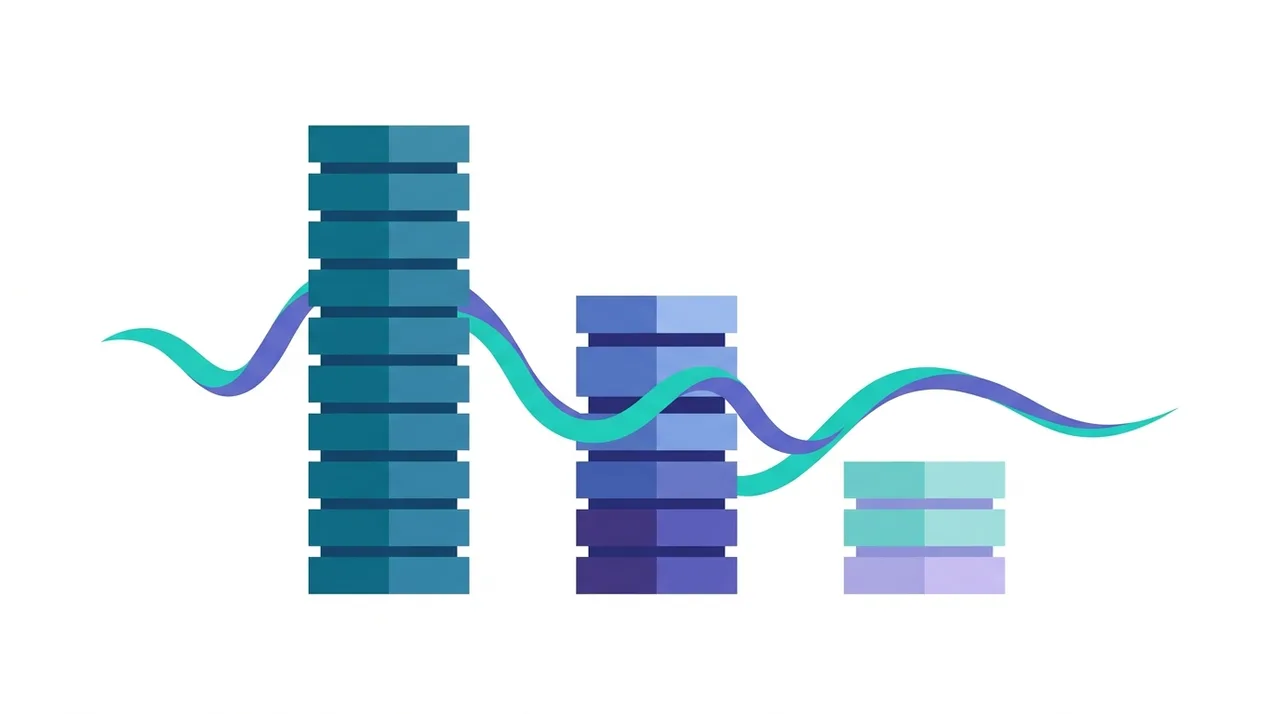
WAV steht am unkomprimierten Ende des Spektrums. FLAC behält identische Qualität bei kleineren Dateien, MP3 tauscht Qualität gegen minimale Größe, und AIFF ist im Grunde Apples Gegenstück zu WAV.
| Feature | WAV | FLAC | MP3 | AIFF |
|---|---|---|---|---|
| Komprimierung | Keine (rohes PCM) | Verlustfrei | Verlustbehaftet | Keine (rohes PCM) |
| Audioqualität | Perfekt | Perfekt | Reduziert | Perfekt |
| Größe (1 Min, 16 Bit/44,1 kHz) | ~10 MB | ~5-7 MB | ~1 MB bei 128 kbps | ~10 MB |
| Metadaten-Unterstützung | Begrenzt (RIFF/BWF) | Umfangreich (Vorbis-Tags) | Umfangreich (ID3) | Gut (ID3-ähnlich) |
| Herkunft | Microsoft/IBM | Xiph.Org | Fraunhofer/MPEG | Apple |
| Am besten für | Produktion & Bearbeitung | Verlustfreie Archivierung | Streaming & Teilen | macOS-Produktion |
| Universelle Wiedergabe | Ausgezeichnet | Gut | Universell | Gut |
Beste Anwendungsfälle für WAV
WAV glänzt in professionellen und technischen Szenarien, bei denen Audioqualität und Verarbeitungsflexibilität entscheidend sind:
- Musikproduktion und Mischung: DAWs verarbeiten Audio intern als WAV, und das Arbeiten in WAV vermeidet jeglichen Codierungs-Overhead.
- Audio-Mastering: die finale Mastering-Stufe erfordert höchstmögliche Treue vor der Distributions-Codierung.
- Sounddesign und Sampling: Game-Audio, Film-Soundeffekte und Sample-Bibliotheken werden typischerweise als WAV-Dateien verteilt.
- Broadcast und Live-Sound: Niedrig-Latenz-Wiedergabeanforderungen machen WAV zum Standard für Broadcast-Playout-Systeme.
- Archivierungsspeicherung: Institutionen und Bibliotheken bewahren Aufnahmen als WAV (oft Broadcast Wave Format, BWF) für langfristige Treue auf.
- Audio-Forensik und -Analyse: wissenschaftliche und juristische Audioanalyse erfordert unkomprimiertes, unverändertes Quellmaterial.
WAV-Einschränkungen und Dateigrößenüberlegungen
Der hauptsächliche Nachteil von WAV ist die Dateigröße. Eine einzige Minute CD-Qualitäts-Stereo-Audio (16-Bit, 44,1 kHz) verbraucht etwa 10,1 MB, während Studio-Qualitäts-24-Bit, 96 kHz Stereo etwa 34,6 MB pro Minute benötigt. Ein vollständiges Album in CD-Qualität kann leicht 700 MB überschreiten. Das macht WAV unpraktisch für tragbare Musikbibliotheken, Streaming und Web-Bereitstellung. Standard-WAV-Dateien mit RIFF-Container sind auf 4 GB begrenzt (etwa 6,8 Stunden CD-Qualitäts-Stereo), obwohl die RF64-Erweiterung diese Begrenzung aufhebt. WAV hat im Vergleich zu Formaten wie FLAC oder MP3 auch begrenzte native Metadaten-Unterstützung, obwohl die BWF-Erweiterung (Broadcast Wave Format) professionelle Metadaten-Felder hinzufügt.
So konvertieren Sie Audio in WAV
- 1
Wählen Sie Ihr Quell-Audio
Wählen Sie die Datei aus, die Sie konvertieren möchten. MP3-, FLAC-, AAC-, OGG- und M4A-Dateien können alle in WAV konvertiert werden.
- 2
Wählen Sie WAV als Ausgabeformat
Wählen Sie WAV (PCM) als Zielformat in Ihrem Konvertierungstool.
- 3
Setzen Sie Bittiefe und Abtastrate
Für maximale Qualität passen Sie die Quellauflösung an. Für allgemeine Verwendung ist 16-Bit 44,1 kHz (CD-Qualität) Standard. Für Produktion wählen Sie 24-Bit bei 48 oder 96 kHz.
- 4
Verarbeiten Sie die Konvertierung
Führen Sie die Konvertierung aus. Beachten Sie, dass das Konvertieren von einem verlustbehafteten Format wie MP3 in WAV die verlorene Qualität nicht wiederherstellt, aber eine unkomprimierte Datei zur Bearbeitung erstellt.
- 5
Laden Sie Ihre WAV-Datei herunter
Speichern Sie die resultierende WAV-Datei. Beachten Sie, dass WAV-Dateien deutlich größer sind als komprimierte Formate.
Häufig gestellte Fragen
Ist WAV verlustfrei oder unkomprimiert?
Standard-WAV-Dateien sind unkomprimiert und speichern rohes PCM-Audio ohne jegliche Komprimierung. Das ist sogar besser als verlustfrei komprimierte Formate für die Verarbeitungsgeschwindigkeit, produziert aber größere Dateien. WAV kann technisch komprimiertes Audio enthalten, was aber in der Praxis extrem selten ist.
Was ist der Unterschied zwischen WAV und FLAC?
Beide liefern identische Audioqualität. FLAC wendet verlustfreie Komprimierung an, um Dateigrößen um 30-50% zu reduzieren, ohne Audiodaten zu verlieren. WAV speichert rohe unkomprimierte Samples. WAV hat geringere Latenz und universelle DAW-Unterstützung, während FLAC bessere Metadaten und kleinere Dateien bietet.
Warum sind WAV-Dateien so groß?
WAV-Dateien speichern jedes einzelne Audio-Sample ohne Komprimierung. Bei CD-Qualität (16-Bit, 44,1 kHz Stereo) bedeutet das 1.411.200 Bit pro Sekunde, oder etwa 10 MB pro Minute. Höhere Abtastraten und Bittiefen erhöhen dies proportional.
Können WAV-Dateien Metadaten enthalten?
Standard-WAV unterstützt grundlegende Metadaten durch RIFF-INFO-Chunks, und die BWF-Erweiterung (Broadcast Wave Format) fügt professionelle Felder hinzu. Die WAV-Metadaten-Unterstützung ist jedoch weniger umfangreich als bei Formaten wie FLAC oder MP3 mit ID3-Tags.
Ist WAV besser als MP3?
WAV hat objektiv höhere Audioqualität, da es alle Original-Audiodaten bewahrt. "Besser" hängt jedoch vom Kontext ab: für tragbares Hören ist MP3 bei 320 kbps für die meisten Menschen praktisch nicht von WAV unterscheidbar, bei einem Bruchteil der Dateigröße.
Welche Bittiefe sollte ich für WAV verwenden?
Für finales Hören reicht 16-Bit und entspricht CD-Qualität. Für Aufnahme und Produktion verwenden Sie 24-Bit, um größeren Dynamikbereich zu erfassen und Headroom während der Mischung bereitzustellen. 32-Bit-Float wird in DAWs für interne Verarbeitung verwendet.
Verbessert das Konvertieren von MP3 zu WAV die Qualität?
Nein. Das Konvertieren von MP3 zu WAV erstellt eine größere unkomprimierte Datei, aber die Audioqualität bleibt identisch zur MP3-Quelle. Die während der MP3-Codierung verworfenen Daten können nicht durch Änderung des Container-Formats wiederhergestellt werden.
Was ist die maximale Dateigröße für WAV?
Standard-RIFF-basierte WAV-Dateien sind auf 4 GB begrenzt. Die RF64-Erweiterung, auch als BWF64 bekannt, unterstützt Dateien größer als 4 GB und wird für Langzeit-Aufnahmen in Broadcast- und Produktionsumgebungen verwendet.
Wie öffne ich eine WAV-Datei?
WAV-Dateien lassen sich auf praktisch jedem Gerät nativ öffnen. Unter Windows nutzen Sie Media Player oder Groove, unter macOS die Musik-App oder QuickTime, und auf dem Smartphone funktioniert jeder Standard-Player. Auch alle Webbrowser geben WAV direkt wieder, und jeder Audio-Editor — Audacity, Adobe Audition oder eine beliebige DAW — öffnet sie zur Bearbeitung.
Kann ich WAV in MP3 umwandeln, ohne viel Qualität zu verlieren?
Ja. Das Kodieren von WAV in MP3 mit 256 oder 320 kbps erzeugt Dateien, die für die meisten Hörer praktisch nicht vom Original zu unterscheiden sind, während die Größe um rund 90 Prozent sinkt. Der Qualitätsverlust tritt einmalig auf und ist bei hohen Bitraten für die meisten Ohren unhörbar — deshalb bleibt MP3 der Standard zum Teilen und Streamen.
Ist WAV dasselbe wie PCM?
Nicht ganz. PCM (Pulse-Code Modulation) ist die Methode zur digitalen Darstellung der Audio-Samples, während WAV der Container ist, der die PCM-Daten zusammen mit einem Header zu Abtastrate, Bittiefe und Kanälen umschließt. In der Praxis enthalten fast alle WAV-Dateien PCM-Audio, weshalb die Begriffe oft synonym verwendet werden.
WAV ist das Fundament professioneller Audioarbeit: unkomprimiert, bitgenau und sofort abspielbar, weshalb Studios es als Master-Format behandeln, von dem alle anderen Dateien abgeleitet werden. Sein einziger echter Nachteil ist die Größe, und die lässt sich beim Teilen oder Speichern leicht beheben — wandeln Sie Ihre WAV-Dateien um in FLAC zur verlustfreien Archivierung oder in MP3 zur leichten Verteilung und behalten Sie das Original-WAV als makellose Quelle.